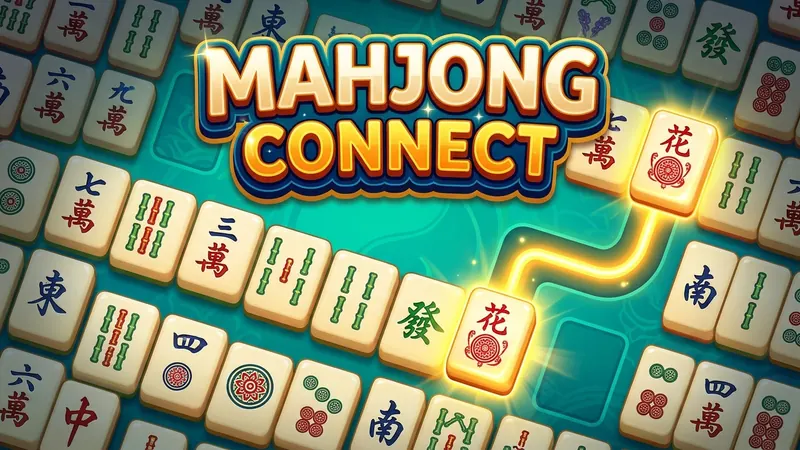
Choose the standard or small board in the Next game menu, then press New game. Turn on Large mode for bigger tiles and text, and use Hint whenever you need help finding a pair.
How to play Mahjong Connect
Everything is in plain view, so the game is all about looking carefully.
- The tiles are laid flat in a grid. The standard board is 12 tiles across and 8 down, which makes 96 tiles. The small board is 10 by 6, which makes 60 tiles.
- Find two identical tiles and click or tap them both.
- The pair can be removed only if the two tiles can be joined by a line with no more than two turns. In other words, the line is made of at most three straight parts.
- The line may pass only through empty spaces. It cannot cross another tile.
- The line may run around the outside edge of the grid, so tiles along the border are often easier to join.
- When a pair is removed, a line briefly shows the path that connected them.
- You win when the whole grid has been cleared.
Understanding the connecting line
The two-turn rule is the heart of the game, and it becomes second nature after a few pairs. Here are the three kinds of path that are allowed.
- A straight line, when the two tiles sit in the same row or column with nothing between them. Tiles right next to each other always count.
- A line with one turn, shaped like the letter L.
- A line with two turns, shaped like a U or a Z. This is the path that often runs around the edge of the board.
Controls: mouse, touch and keyboard
Click or tap one tile to select it, then click or tap its partner. If the two can be connected, they disappear. If you prefer the keyboard, press Tab to reach the board, use the arrow keys to move around the grid and press Enter to select a tile.
Hint shows a pair that can be connected. Shuffle rearranges the remaining tiles when you run out of moves. Undo reverses your last match, and the clock waits while you pause or visit another tab.
On a narrow phone screen the grid is shown turned on its side, so it is taller than it is wide. This keeps the tiles a comfortable size. The rules stay exactly the same.
Mahjong Connect strategy tips
- Start at the edges. Tiles on the border can use the space around the outside of the grid, so they are usually the easiest to join.
- Open up the middle. Removing tiles from the centre creates empty spaces that make longer paths possible.
- When you have a choice, remove the pair that opens the most space for other tiles.
- Look for pairs that are blocking each other. If two matching tiles sit across a row that you need to clear, deal with them early.
- Keep track of tiles that still have partners on the board. If all four of a kind are still on the board, choose the two pairs carefully.
- Scan the board in rows, then in columns. A steady, methodical look finds pairs that a quick glance misses.
- Save Hint for when you are truly stuck, and try undo before you shuffle, since a shuffle costs points.
Scoring
You earn 10 points for every pair you remove. Each shuffle costs 50 points and each hint costs 20, so the highest scores come from clearing the grid without them. Your personal best, moves and time are saved in your own browser.
Variations and related games
Connect-style tile games come in many forms. Some use a timer that counts down, some move the tiles after each match, and some use pictures of fruit or animals in place of mahjong tiles. Ours keeps to the classic, unhurried rules. If you would like a game where tiles are stacked in layers, try our mahjong solitaire, where you match free tiles from a four-layer layout.
A short history of Mahjong Connect
Mahjong Connect borrows its tiles from the traditional four-player game of mahjong, but the connecting rule is a much more recent idea. Games of this kind are thought to have appeared on computers in the 1990s and became popular as quick puzzles for home computers and later for phones. Its gentle pace and clear rules have kept it a favourite for many years.
Common questions
Why won't my two tiles disappear?
The tiles may match, but they cannot be joined by a line with no more than two turns through empty spaces. Try clearing some of the tiles in the way first.
Can the line go around the outside of the board?
Yes. The connecting line may run around the outside edge of the grid, which is why tiles on the border are often easy to match.
What happens when there are no moves left?
Press Shuffle. The remaining tiles are rearranged so you can carry on. Each shuffle costs 50 points.
Why does the board look different on my phone?
On narrow screens the grid is turned on its side, so it is taller than it is wide. This keeps the tiles large enough to see and tap. The rules do not change.
Which board size should I choose?
The small board has 60 tiles and makes a shorter, easier game. The standard board has 96 tiles and takes a little longer. Your personal best is saved in your own browser.
Is Mahjong Connect really free?
Yes. It is free on any computer, tablet or phone, with no app and no account, and your board is saved as you go.